Modern enterprise applications rarely stay simple for long. Over time, new requirements, integrations, and runtime decisions often push otherwise clean codebases toward tighter coupling and increasing complexity. By utilizing Factory and Dependency Injection patterns, we can support runtime implementation selection while still preserving SOLID principles.
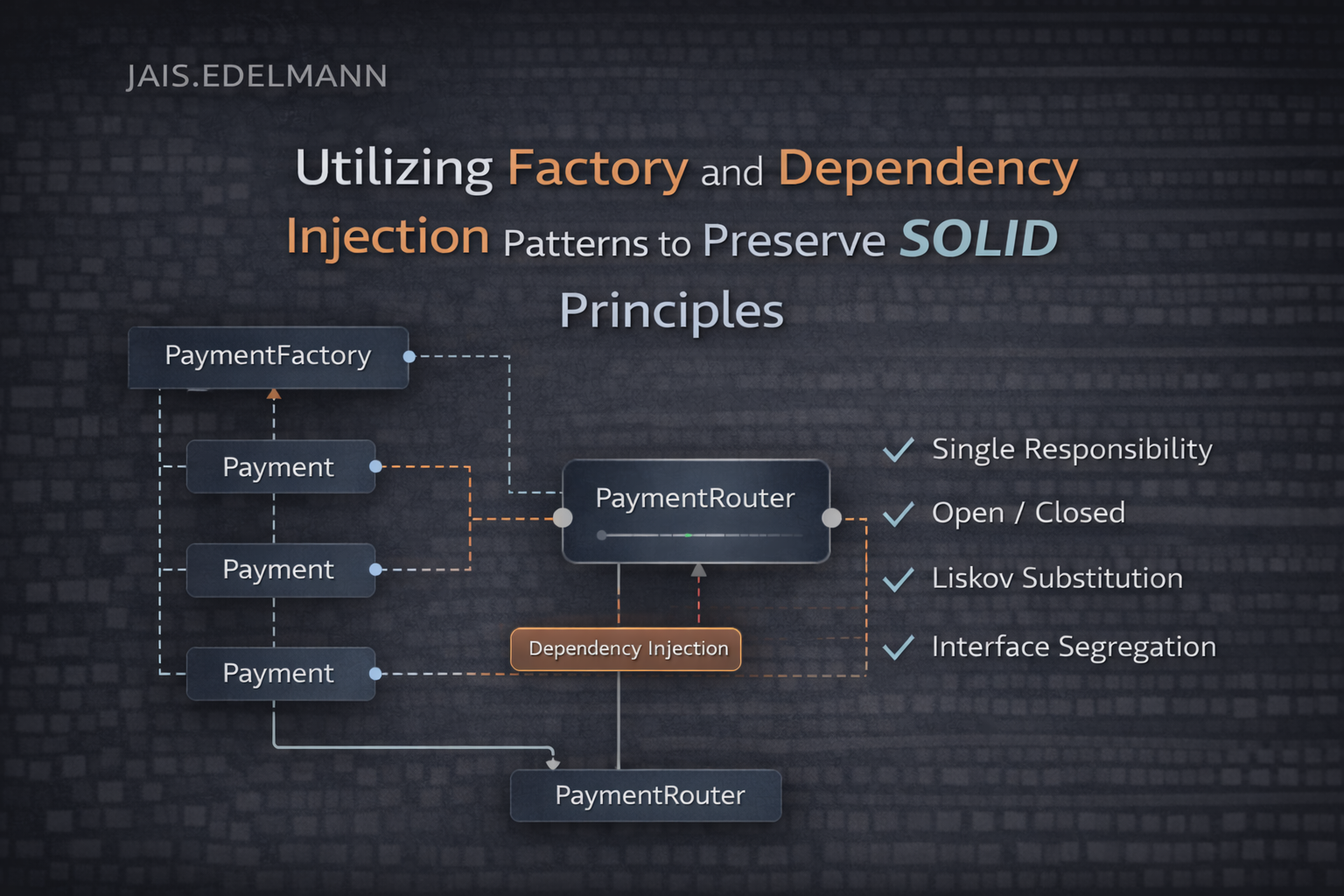
Alright, let’s get the basics out of the way.
This example is intentionally kept small, but the structure mirrors what you would typically see in a real-world enterprise application. Responsibilities are separated early to avoid tight coupling as the codebase grows.
File structure
The project is structured to clearly separate abstractions, factories, and application services. This makes it obvious where responsibilities live and helps prevent creation logic from leaking into business code.
As the solution grows, this structure can be further segregated into additional layers or modules such as application, domain, and infrastructure without requiring structural changes to existing components. This allows the codebase to scale organically while preserving clarity and maintainability.
test-difactory
│
├── Factories
│   └── PaymentFactory.cs
│
├── Interfaces
│   ├── IPayment.cs
│   └── IPaymentFactory.cs
│
├── Services
│   ├── CheckoutService.cs
│   ├── StripePayment.cs
│   └── PaypalPayment.cs
│
├── Bootstrap.cs
└── Program.cs
Program.cs
Program.cs acts purely as the application entry point. Its only responsibility is to bootstrap the application, resolve the top-level service, and trigger execution. It does not contain any business logic or implementation details.
using System;
using Microsoft.Extensions.DependencyInjection;
using test_difactory.Services;

namespace test_difactory
{
    internal class Program
    {
        private static void Main(string[] args)
        {
            IServiceProvider provider = Bootstrap.BuildContainer();

            CheckoutService checkout = provider.GetRequiredService<CheckoutService>();

            Console.WriteLine("Choose payment: stripe / paypal");
            string input = (Console.ReadLine() ?? "").Trim();

            try
            {
                checkout.Pay(input, 499.95m);
                Console.WriteLine("Payment completed successfully.");
            }
            catch (Exception ex)
            {
                Console.WriteLine(ex.Message);
            }

            Console.WriteLine("Press any key to exit...");
            Console.ReadKey();
        }
    }
}
Bootstrap.cs
Bootstrap.cs acts as the composition root of the application. This is the only place where concrete implementations are registered and wired together. Centralizing this logic keeps dependency configuration out of business code and makes application startup predictable.
using System;
using Microsoft.Extensions.DependencyInjection;
using test_difactory.Factories;
using test_difactory.Interfaces;
using test_difactory.Services;

namespace test_difactory
{
    internal static class Bootstrap
    {
        public static IServiceProvider BuildContainer()
        {
            ServiceCollection services = new ServiceCollection();

            // Payments
            services.AddTransient<StripePayment>();
            services.AddTransient<PaypalPayment>();

            // Factory
            services.AddSingleton<IPaymentFactory, PaymentFactory>();

            // App services
            services.AddTransient<CheckoutService>();

            return services.BuildServiceProvider();
        }
    }
}
Interfaces.IPaymentFactory
The factory interface defines a single responsibility: creating payment implementations based on runtime input. Consumers depend on this abstraction rather than a concrete factory, allowing creation logic to evolve independently.
using System;

namespace test_difactory.Interfaces;

public interface IPaymentFactory
{
    IPaymentService Create(string paymentType);
}
Interfaces.IPaymentService
This interface defines the contract for all payment providers. By programming against this abstraction, the rest of the application remains unaware of provider-specific details.
using System;

namespace test_difactory.Interfaces;

public interface IPaymentService
{
    string Name { get; }
    void Pay(decimal amount);
}
Factories.PaymentFactory
PaymentFactory encapsulates all runtime selection and creation logic. This prevents conditional logic from spreading across the application and keeps object creation in a single, well-defined location.
using Microsoft.Extensions.DependencyInjection;
using test_difactory.Interfaces;
using test_difactory.Services;

namespace test_difactory.Factories;

public sealed class PaymentFactory : IPaymentFactory
{
    private readonly IServiceProvider _serviceProvider;

    public PaymentFactory(IServiceProvider serviceProvider)
    {
        _serviceProvider = serviceProvider;
    }

    public IPaymentService Create(string paymentType)
    {
        var key = (paymentType ?? "").Trim().ToLowerInvariant();

        return key switch
        {
            "stripe" => _serviceProvider.GetRequiredService<StripePayment>(),
            "paypal" => _serviceProvider.GetRequiredService<PaypalPayment>(),
            _ => throw new ArgumentException(
                $"Unknown payment type '{paymentType}'.")
        };
    }
}
Services.CheckoutService
CheckoutService represents the application’s business logic. It coordinates the payment flow but delegates creation and selection of payment implementations to the factory.
using System;
using test_difactory.Interfaces;

namespace test_difactory.Services;

public class CheckoutService
{
    private readonly IPaymentFactory _factory;

    public CheckoutService(IPaymentFactory factory) => _factory = factory;

    public void Pay(string paymentType, decimal amount)
    {
        var payment = _factory.Create(paymentType);
        Console.WriteLine($"Using {payment.Name}...");
        payment.Pay(amount);
    }
}
Services.PaypalPayment
This class provides a concrete implementation of IPaymentService for PayPal.
using System;

namespace test_difactory.Services;

public class PaypalPayment : Interfaces.IPaymentService
{
    public string Name => "Paypal";

    public void Pay(decimal amount)
    {
        Console.WriteLine($"Processing Paypal payment of {amount:C}");
    }
}
Services.StripePayment
This class provides a concrete implementation of IPaymentService for Stripe.
using System;

namespace test_difactory.Services;

public class StripePayment : Interfaces.IPaymentService
{
    public string Name => "Stripe";

    public void Pay(decimal amount)
    {
        Console.WriteLine($"Processing Stripe payment of {amount:C}");
    }
}